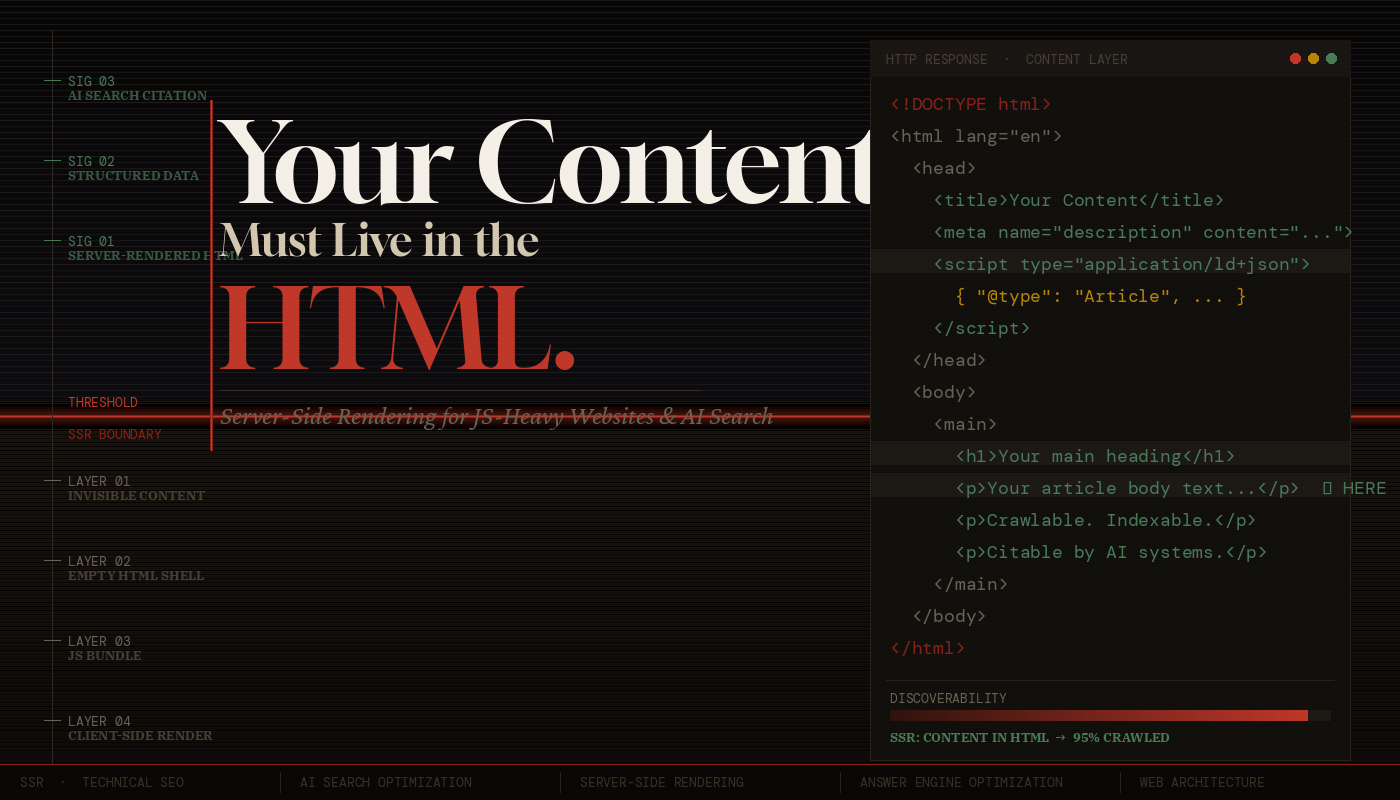
Your Content Must
Live in the HTML.
Not JavaScript.
1. The Problem with JavaScript-Rendered Content
The modern web has a rendering paradox. We have more powerful frontend frameworks than ever — React, Next.js, Vue, Svelte, Angular — yet a substantial portion of the web’s content is effectively invisible to machines that don’t execute JavaScript.
Here’s the scenario that plays out thousands of times a day: A developer builds a slick single-page application. The HTML file returned by the server is a near-empty shell — a <div id="root"></div> and a bundle of JavaScript. The browser downloads that bundle, parses it, executes it, makes API calls, and eventually — after several seconds — renders the actual product listings, blog posts, or service descriptions that the site exists to show.
From a human browser perspective, this works fine. From a crawler’s perspective, this is a black hole.
When Googlebot, Bingbot, or an AI crawling agent fetches your URL, what they receive in that first HTTP response is your HTML document — before any JavaScript runs. If your main content isn’t in that document, it does not exist for them at the moment of first contact.
on slow connections
weeks Googlebot’s JS
render queue delay
execute JavaScript
Google has stated that it processes JavaScript using a “two-wave” indexing system. The first wave indexes raw HTML immediately. The second wave — which renders JavaScript — happens on a deferred schedule, sometimes days or weeks later, limited by rendering budget and queue depth. Your SPA’s content may simply never make it into the index before your competitors’ SSR pages already rank.
The Hidden Cost of Client-Side Rendering at Scale
The problem isn’t just about individual pages. As your site scales — hundreds of products, thousands of blog posts, tens of thousands of SKUs — the crawl budget erosion from JavaScript rendering becomes catastrophic. Google’s crawlers must spend more “budget” on a page that requires JavaScript execution than one that returns clean HTML. The result: fewer of your pages get crawled in any given window, and freshness suffers.
For content-heavy sites — e-commerce, publishing, SaaS documentation, marketplaces — this isn’t a minor SEO technicality. It’s a direct hit on revenue.
2. How Search Crawlers Actually Work
To understand why HTML-first matters, you need to understand the lifecycle of a web crawl — both traditional search engines and the newer AI-based retrievers.
Traditional Crawlers: The Two-Wave Problem
When Googlebot visits a URL, it follows a deterministic sequence:
// Step 1: DNS resolution + TCP connection
// Step 2: HTTP GET request → server returns raw HTML
// Step 3: HTML is parsed for links, meta tags, structured data
// Step 4: Page enters rendering queue (WRS — Web Rendering Service)
// Step 5 (days/weeks later): Headless Chromium renders JS
// Step 6: Rendered content is indexed (second wave)

// THE GAP BETWEEN STEP 3 AND STEP 6 IS YOUR VULNERABILITY.
During the gap between steps 3 and 6, your content either exists in the index (if it was in the HTML) or doesn’t (if it was JS-rendered). For frequently updated sites, this gap can mean permanently stale or missing content because the page changes again before the render queue catches up.
Bingbot and Other Crawlers
Microsoft’s Bingbot has similar JavaScript rendering capabilities but operates under even tighter rendering budgets. Apple’s Applebot, used for Siri and Spotlight indexing, has limited JS execution. DuckDuckGo crawls with minimal JS support. The majority of the long tail of web crawlers — including price comparison bots, accessibility checkers, and social media link previewers — do not execute JavaScript at all.
Designing for Google’s JS renderer means designing for one crawler. Designing for raw HTML means your content is accessible to every crawler, every time, without exception. It is a fundamentally more robust and future-proof architecture.
The Open Graph & Social Preview Problem
An often-overlooked consequence of JS-rendered content: social media link unfurling. When someone shares your URL on LinkedIn, Twitter/X, Slack, or iMessage, the platform’s server-side fetcher grabs the HTML of your page and looks for <meta og:title>, <meta og:description>, and <meta og:image> tags. If those tags are inserted by JavaScript, the unfurled preview will be blank, broken, or fall back to default values. This is a direct conversion-rate problem that happens in real time, every time someone shares a link.
| Content Location | Google (Wave 1) | Google (Wave 2) | Bing / Others | AI Crawlers | Social Previews |
|---|---|---|---|---|---|
| In raw HTML (SSR) | ✓ Indexed | ✓ Indexed | ✓ Indexed | ✓ Indexed | ✓ Works |
| JS-rendered (CSR) | ✗ Missing | ✓ Maybe | ✗ Often Missing | ✗ Missing | ✗ Broken |
3. The AI Search Revolution Changes Everything
We are in the middle of a fundamental shift in how people find information on the web. Google’s AI Overviews (formerly SGE), Bing’s Copilot integration, Perplexity AI, ChatGPT Search, Claude’s web browsing, and a growing ecosystem of AI-powered research tools are collectively changing the nature of web discovery. And they have a profoundly different architecture than traditional search engines.
How AI Search Engines Retrieve Content
AI-powered search systems — whether Perplexity, SearchGPT, or Google’s AI Overviews — operate on a Retrieval-Augmented Generation (RAG) pipeline. The simplified flow looks like this:
// 1. User submits a natural language query
// 2. Query is embedded as a vector
// 3. Nearest-neighbor search across indexed content corpus
// 4. Relevant chunks of text are retrieved
// 5. Retrieved chunks are injected into LLM context window
// 6. LLM generates a synthesized answer with citations
// 7. Your URL appears as a source — or it doesn't.

// THE CRITICAL QUESTION: What was in your "indexed content corpus"?
// ANSWER: What was in your HTML when the crawler visited.
The content corpus that powers AI answers is built by crawlers. Those crawlers mostly cannot and do not execute JavaScript. If your product description, article body, or service explanation lives in a JavaScript bundle, it will not be in the corpus that AI models cite from.
Chunking, Embeddings, and Semantic Relevance
AI retrieval systems don’t index pages — they index chunks. A long article might be split into dozens of 200–500 token chunks, each embedded as a vector. When a query comes in, the system retrieves the most semantically relevant chunks. This means your section headings, paragraph structure, and logical content hierarchy directly influence how well your content is chunked and retrieved.
Well-structured HTML — with proper <h1> through <h3> hierarchy, meaningful <p> tags, and semantic elements like <article>, <section>, and <main> — produces better chunks. JavaScript-rendered content that arrives as an undifferentiated wall of text produces garbage chunks. SSR gives you control over this structure from the moment the page is fetched.
AI Answer Attribution and Citations
When Perplexity or ChatGPT Search cites a source, that citation drives high-intent traffic. Users who see your site cited in an AI answer are pre-qualified — they trust the recommendation because an AI system surfaced it as authoritative. This is the new “position zero.” To be cited, your content must be:
- Crawlable and indexed (which requires being in the HTML)
- Semantically rich and well-structured
- Authoritative and factually grounded
- Fresh — AI systems weight recent, updated content
Answer Engine Optimization (AEO) is the practice of structuring your content to be retrieved and cited by AI search systems. Its foundational requirement — before any prompt engineering or content strategy — is that your content must be present in crawlable HTML. Everything else is secondary.
The llms.txt Paradigm and Direct AI Access
A new convention — llms.txt, inspired by robots.txt — is emerging to help sites signal to AI crawlers what content is most valuable. Sites like Anthropic, Cloudflare, and many developer documentation platforms have already adopted it. But llms.txt points to URLs. If those URLs return empty HTML shells, the convention offers no benefit. The content still must live in the HTML that the URLs resolve to. Recent tests conducted by SEO professionals indicate that adding a llms.txt file to a website does not show any clear correlation with increased crawling by AI search crawlers. (Source: www.searchenginejournal.com)
4. What SSR Is — and What It Actually Fixes
Server-Side Rendering (SSR) means generating the complete HTML of a page on the server — including all the main content — before sending it to the client. The browser receives a fully-formed document that a human (or crawler) can read without executing a single line of JavaScript.
SSR vs. CSR vs. SSG vs. ISR
The rendering landscape has grown complex. Here’s a precise breakdown:
| Strategy | When Content is Generated | Crawlability | Best For |
|---|---|---|---|
| CSR Client-Side Rendering |
In the browser, after JS executes | Poor — requires JS | Private dashboards, authenticated apps |
| SSR Server-Side Rendering |
On the server, per request | Excellent | Dynamic content, personalization, real-time data |
| SSG Static Site Generation |
At build time | Excellent | Blogs, docs, marketing pages |
| ISR Incremental Static Regeneration |
At build + on-demand revalidation | Excellent | Large sites with fresh content |
The key insight: CSR is the only strategy that results in empty HTML. SSR, SSG, and ISR all deliver content in the initial HTML response. For public-facing pages — product pages, articles, landing pages, documentation — there is rarely a technical justification for using CSR.
Hydration: The Best of Both Worlds
A common misconception: “If I use SSR, I lose the interactivity of React/Vue.” This is false. Modern SSR works through hydration — the server sends a fully-rendered HTML page, and then JavaScript “hydrates” the existing DOM, attaching event listeners and making it interactive. The user gets fast, crawlable content immediately; the full interactive experience follows seamlessly.
// ✓ Content rendered on server — present in HTML response

export async function getServerSideProps(context) {
  const { params } = context;
  const product = await fetchProduct(params.slug);

  return {
    props: { product }
    // This data is baked into the HTML —
    // no client-side fetch, no empty div.
  };
}

export default function ProductPage({ product }) {
  return (
    <article>
      <h1>{product.name}</h1>
      <p>{product.description}</p>  // ← In the HTML
      <PriceWidget price={product.price} /> // ← Also in HTML via SSR
    </article>
  );
}
The Performance Dimension
SSR also directly improves Core Web Vitals — specifically Largest Contentful Paint (LCP) and First Contentful Paint (FCP). When content is in the HTML, the browser can start rendering it the moment bytes arrive, without waiting for a JS bundle to download, parse, and execute. Google uses Core Web Vitals as a ranking signal. SSR improves your rankings both by making content indexable and by improving the speed metrics that determine ranking order.
5. Content Signals That AI Systems Depend On
Beyond mere presence, the quality and structure of your HTML content determines how well AI systems can understand and cite it. SSR gives you the opportunity to control these signals from the server response.
Structured Data (JSON-LD)
Schema.org structured data, embedded as <script type="application/ld+json"> in the <head>, is one of the most important signals for both traditional and AI search. It provides machine-readable metadata about your content type — whether it’s an Article, Product, FAQ, HowTo, Recipe, or Event. AI systems use structured data to understand the ontological category of your content, which directly influences whether and how it gets surfaced in answer engines.
<script type="application/ld+json">
{
  "@context": "https://schema.org",
  "@type": "Article",
  "headline": "Why Your Content Must Live in the HTML",
  "datePublished": "2025-06-15",
  "dateModified": "2025-06-20",
  "author": { "@type": "Person", "name": "Jane Doe" },
  "description": "A technical deep-dive into SSR..."
}
</script>

<!-- CRITICAL: This must be server-rendered.
     If injected by JS, crawlers miss it entirely. -->
Semantic HTML Elements
Modern AI content understanding systems are trained to respect semantic HTML structure. <main> signals the primary content zone. <article> wraps a self-contained piece of content. <section> groups thematically related content. <aside> marks supplementary information. <nav> identifies navigation. These elements help AI systems distinguish your main content from boilerplate, navigation, ads, and sidebars — a process called content extraction or main content identification.
When your content is server-rendered with proper semantic markup, content extraction works correctly. When it’s client-rendered, the semantic structure may be lost entirely, and AI systems fall back to heuristics that are far less reliable.
Meta Tags and Open Graph
The <title> tag, <meta name="description">, and Open Graph tags (og:title, og:description, og:image) must all be present in the server-rendered HTML. These tags are used by:
- Search engines to generate SERP snippets
- Social platforms to generate link previews
- AI summarization systems to understand page context
- Browser bookmarking and reading list features
Using a single, static <title> tag like “My App | React SPA” for every page, then updating it with JavaScript. Search engines will index the static title, not the JS-updated one. Every public-facing page needs a unique, descriptive, server-rendered <title>.
Freshness Signals and Last-Modified Headers
AI search systems weight fresh content more heavily. When your server returns an SSR page, you can set proper HTTP headers: Last-Modified, ETag, and Cache-Control directives. These signals tell crawlers when content was last updated and whether to re-index it. A CSR app returning the same cached index.html bundle provides no freshness signal — the HTML never changes even when the content does.
6. Implementing SSR: Practical Approaches
The good news: the modern frontend ecosystem makes SSR straightforward to implement. Here are the primary paths, with honest tradeoffs.
Next.js (React)
Next.js is the most mature SSR framework for React. It supports SSR via getServerSideProps, SSG via getStaticProps, and ISR through its revalidation system. Next.js 13+ App Router uses React Server Components (RSC), which render on the server by default — a paradigm shift that makes the right choice (SSR) also the easiest choice.
// app/products/[slug]/page.tsx
// This is a Server Component by default — runs on the server

export async function generateMetadata({ params }) {
  const product = await getProduct(params.slug);
  return {
    title: product.name,           // ← In <title> tag, server-rendered
    description: product.summary,  // ← In <meta description>
    openGraph: { title: product.name, images: [product.image] }
  };
}

export default async function ProductPage({ params }) {
  const product = await getProduct(params.slug);
  // Data fetched on server — content in HTML from the start
  return (
    <main>
      <h1>{product.name}</h1>
      <p>{product.description}</p>
    </main>
  );
}
Nuxt (Vue), SvelteKit, Remix, Astro
Nuxt is the equivalent for Vue, offering the same SSR/SSG/ISR triad. SvelteKit defaults to SSR with zero-config setup. Remix is built entirely around the server/client boundary and makes SSR its default mode of operation. Astro takes a radical approach — static HTML with “islands” of interactivity — producing some of the most crawler-friendly output of any modern framework.
When You Can’t Rewrite: Dynamic Rendering
If you have a legacy SPA that you can’t immediately migrate to SSR, dynamic rendering is a stopgap: detect crawler user-agents and serve pre-rendered HTML to them while serving the normal SPA to users. Tools like Rendertron, Prerender.io, or cloud functions can handle this. It’s not ideal — it adds complexity and has a caching freshness problem — but it’s significantly better than serving crawlers an empty div.
# nginx.conf — serve pre-rendered HTML to known bots

map $http_user_agent $is_crawler {
  default              0;
  "~*googlebot"        1;
  "~*bingbot"          1;
  "~*perplexitybot"    1;
  "~*gptbot"           1;
  "~*claudebot"        1;
  "~*anthropic-ai"     1;
}

location / {
  if ($is_crawler = 1) {
    proxy_pass http://prerender-service:3000;
  }
  try_files $uri /index.html; # SPA fallback for users
}
Core Web Vitals and SSR Performance
SSR is not free — rendering on the server adds latency to Time to First Byte (TTFB). The tradeoff is usually favorable: TTFB increases slightly, but LCP and FCP improve dramatically because content is visible sooner. Strategies to mitigate TTFB include: aggressive caching (CDN-level HTML caching with short TTLs), streaming SSR (React 18’s Suspense-based streaming, which sends HTML progressively), and edge rendering (running SSR at CDN edge nodes close to the user).
7. SSR & AI Search Discoverability Checklist
Use this checklist to audit any public-facing page for HTML content completeness and AI search readiness:
HTML Content Requirements
- Main content (body copy, product descriptions, article text) present in raw HTML response
- Page
<title>is unique, descriptive, and server-rendered per page <meta name="description">is present and server-rendered- Open Graph tags (
og:title,og:description,og:image) in server HTML - Heading hierarchy (
<h1>→<h2>→<h3>) present in HTML, not injected by JS - JSON-LD structured data in
<head>, not added dynamically
Semantic HTML Structure
<main>element wraps primary page content<article>used for self-contained content pieces<nav>,<header>,<footer>,<aside>used appropriately- Images have meaningful
altattributes in the HTML (not added via JS) - Links are real
<a href>elements, not JS-powered navigation
AI Search Readiness
- Content is coherent and well-structured when JavaScript is disabled (test with browser devtools)
- Appropriate Schema.org type applied (Article, Product, HowTo, FAQ, etc.)
robots.txtdoes not block AI crawlers (GPTBot, ClaudeBot, PerplexityBot, etc.)- Consider implementing
llms.txtto signal high-value content to AI systems - HTTP
Last-Modifiedheaders reflect actual content update times - Canonical URLs set correctly to prevent duplicate content issues
Performance & Technical SSR
- LCP element (usually the hero image or h1) visible in HTML before JS executes
- No render-blocking resources that delay HTML parsing
- SSR HTML cached at CDN edge where content is stable (SSG/ISR)
- Streaming SSR implemented for dynamic, slow-data pages
- Verify with:
curl -A "Googlebot" https://yoursite.com/page | grep -i "main content"
8. Conclusion: HTML is the Contract
The web has a social contract that predates JavaScript frameworks, predates React, predates even Google: the HTML document returned by a server is the authoritative representation of a page’s content. Browsers, crawlers, screen readers, feed aggregators, link previewers, and now AI retrieval systems all depend on this contract being honored.
The JavaScript revolution of the past decade gave us extraordinary tools for building interactive experiences. But somewhere along the way, many teams confused “my app is built with React” with “my content should be rendered by React on the client.” These are separate decisions. The experience layer can and should be interactive, component-based, and framework-driven. The content layer must be in the HTML.
The rise of AI search makes this more urgent, not less. Every AI answer engine, every RAG pipeline, every citation system is fundamentally built on the same foundation: what was in the HTML when the crawler visited. No amount of prompt engineering, no amount of schema markup finesse, no amount of link building overcomes the fundamental failure of your content not being in the document that crawlers receive.
The good news is that the tooling has never been better. Next.js App Router, SvelteKit, Nuxt, Astro, Remix — these frameworks have made SSR the default, the path of least resistance, the thing you get for free when you start a new project. The question is not whether you can do SSR. The question is whether you’re willing to treat your content with the seriousness it deserves.
Put your content in the HTML. Honor the contract. Let crawlers, AI systems, and the open web read what you’ve built. Everything else follows from there.
Open your browser, navigate to any important page on your site, and disable JavaScript (DevTools → Settings → Disable JavaScript). Reload the page. If your main content is visible, you pass. If you see a loading spinner, an empty container, or nothing at all — you have work to do.