Category: JS Rendering

  • The Enterprise Guide to JavaScript Rendering Audits: Uncovering SEO and AI Crawling Blindspots

    Headless SEO · JavaScript Rendering · Technical SEO

    The Enterprise Guide to JavaScript Rendering Audits: Uncovering SEO and AI Crawling Blindspots

    A step-by-step framework to compare raw server HTML against rendered DOM, quantify JavaScript dependency, and prioritize fixes where search visibility is actually at risk.

    Headless SEO rendering audit — comparing raw HTML to rendered DOM for crawlability

    In the contemporary web landscape, JavaScript (JS) is the foundation of rich, interactive user experiences. Modern frameworks like React, Next.js, Angular, and Nuxt.js allow developers to craft beautiful, dynamic frontend applications. However, this architectural shift has introduced a massive, often undetected point of failure for search engine visibility: the rendering gap.

    While Google has made monumental strides in rendering JavaScript, its processing is not instantaneous. Crucially, the web has evolved. We are no longer optimizing solely for Googlebot. The search landscape now includes a wave of LLM-based search agents, AI crawl bots, and alternative search engines—such as OpenAI’s SearchBot, AppleBot, and Perplexity—that frequently bypass the computationally expensive browser rendering cycle entirely. To save budget and infrastructure costs, these crawlers read only the raw, server-returned HTML.

    ⚠ The Rendering Gap

    If your core copy, schema markup, or internal links depend on client-side JS to render, your site is effectively invisible to a rapidly growing segment of the search market.

    This guide provides a comprehensive framework to execute a Headless SEO (HS) Rendering Audit. We will explore the mathematical metrics of JS reliance, outline a step-by-step dual-crawl auditing process, and provide a roadmap to translate findings into actionable developer tasks.

    1. What is an HS Rendering Audit?

    A Headless SEO (HS) Rendering Audit is a highly specialized technical analysis that compares a website’s raw HTML (the code served directly from the server before any client-side scripts run) with its rendered HTML (the final Document Object Model, or DOM, after client-side JavaScript has fully executed in a headless browser).

    Rendering Pipeline
    [Raw Server HTML]  -------->  [Client-Side JS Execution]  -------->  [Rendered DOM]
     (What AI bots &               (The "Rendering Gap" delay)            (What users &
      simple crawlers see)                                                 Googlebot see)

    By cross-referencing these two states across a site’s templates, technical SEOs can identify:

    • The Indexation Risk: High-value text, specifications, or FAQs that are completely missing from the raw source code.
    • The Crawlability Gap: Critical internal anchor links (<a href="...">) that bots cannot discover in the raw HTML, starving deep pages of authority and crawling activity.
    • Asset Parity Issues: Differences in page titles, meta descriptions, canonicals, or structured data between states.
    · · ·

    2. The Core Mathematical Metrics of JS Reliance

    To transform a qualitative audit into quantitative data that leadership and development teams can act upon, we must calculate exact metrics for JavaScript dependency.

    A. The JavaScript Dependency Ratio (JSdep)

    The JS Dependency Ratio represents the exact portion of a page’s content that relies on JavaScript to exist.

    JSdep = (Wrendered − Wraw) / Wrendered

    Where Wrendered is the word count of the fully rendered DOM and Wraw is the word count of the raw HTML source code.

    0% Perfect SSR — no JS
    needed for text
    >30% High-risk threshold
    for competitive terms
    100% Blank client shell
    (e.g. #root only)
    • A ratio of 0.0 (0%) means perfect server-side rendering; the page requires no client-side script execution to present its text.
    • A ratio of 1.0 (100%) indicates a blank client-side shell (e.g. <div id="root"></div>) with zero indexable text in the raw source.
    • Any ratio above 0.30 (30%) is considered a high-risk dependency for templates targeting highly competitive search terms.

    B. Word Count Difference (ΔW)

    The absolute delta between the rendered and raw word counts:

    ΔW = Wrendered − Wraw
    • Positive Delta (+ΔW): JavaScript is dynamically adding content (e.g. loading product grids, reviews, or specifications post-load).
    • Negative Delta (−ΔW): JavaScript is removing content from the page. This is a critical indicator of hydration failures, code conflicts, or content truncation scripts.

    C. Link Difference (ΔL)

    The delta measuring missing internal crawl paths:

    ΔL = Lrendered − Lraw

    Where L represents the number of discoverable internal <a href> links. If ΔL > 0, simple crawlers cannot traverse those paths, leading to isolated or orphaned pages.

    D. Priority Score (P)

    Because enterprise sites contain thousands or millions of pages, developer resources must be focused where they will yield the highest ROI. Calculate a Priority Score to weigh the JS dependency against actual search visibility:

    P = JSdep × Monthly Impressions

    By sorting your spreadsheet by this priority score, high-performing legacy pages with high JS risk will immediately bubble up to the top of the engineering queue, while low-traffic sandbox pages will be pushed to the bottom.

    · · ·

    3. Step-by-Step: Carrying Out the HS Render Audit

    Executing this audit requires a crawl engine capable of capturing both rendering states. Standard tools like Screaming Frog SEO Spider, Lumar, or enterprise-level crawlers are perfectly suited for this task.

    Dual-Crawl Audit Flow
           [Start Crawl Process]
                     │
            ┌────────┴────────┐
            ▼                 ▼
       [Crawl Phase 1]   [Crawl Phase 2]
         (Raw HTML)     (JS Render Mode)
            │                 │
            └────────┬────────┘
                     ▼
         [Align Datasets via URL]
                     │
            ▼ Calculate Metrics:
       - JS Dependency Ratio
       - Word Count & Link Deltas
       - Priority Score (via GSC Data)
                     │
                     ▼
          [Prioritized Audit Deck]

    Step 1: Template-Based Sampling

    While crawling millions of URLs with JavaScript enabled is incredibly resource-intensive, rendering architectures are templated. Segment your audit by sampling 50 to 100 URLs from each major site template:

    • Homepage
    • Product Listing Pages (PLPs) / Category Hubs
    • Product Detail Pages (PDPs)
    • Dynamic Tools (Wizards, Configurator Tools, Calculators)
    • Informational Content (FAQs, Blog/Editorial posts, Help Centers)

    Step 2: Configure the Dual-Crawl Engines

    Run two parallel crawls of your URL sample, or configure a single crawl that exports both states:

    • The Raw HTML Crawl: Set your user-agent to a standard bot (like Googlebot) but disable JavaScript execution. This downloads the raw text response directly from your server.
    • The JS Render Crawl: Enable JavaScript execution using a headless browser (Chromium). Set an AJAX timeout (typically 3–5 seconds) to ensure asynchronous API queries and DOM manipulation scripts complete their cycles.

    Step 3: Align and Calculate the Delta Spreadsheet

    Export your data and merge the crawls into a single worksheet. Your master spreadsheet should contain:

    • URL
    • Raw Word Count vs. Rendered Word Count
    • Raw Link Count vs. Rendered Link Count
    • GSC Impressions (Last 30 Days)
    • Calculated metrics: JSdep, ΔW, ΔL, and Priority Score (P)
    · · ·

    4. Mapping JS Dependencies by Template

    When analyzing your final audit sheet, you will notice that rendering gaps cluster around specific page templates. Here is how to diagnose and resolve the most common dependencies across four core enterprise templates:

    A. Product Listing Pages (PLPs) / Category Hubs

    The Scenario: In modern headless e-commerce setups, product category pages are often built as visual grids. These grids are populated dynamically via client-side API fetches that execute after the page container loads.

    The Audit Finding: Category hubs frequently show a JS Dependency Ratio of 35% to 65%. While the header, footer, and category intro copy exist in the raw HTML, the actual product cards (including names, pricing, and links to individual PDPs) only appear after JS runs.

    The SEO Impact: Search engines crawling the raw HTML see an “empty storefront.” Because no product links exist in the server response (ΔL is highly positive), internal PageRank distribution collapses, and search crawlers struggle to discover or index deep product detail pages.

    The Fix: Transition to Server-Side Rendering (SSR) for the initial category viewport. Ensure that at least the top 12 to 24 product cards—including their titles, prices, and valid <a href> anchor tags—are fully baked into the initial server-rendered HTML.

    B. Product Detail Pages (PDPs)

    The Scenario: Product pages often contain rich interactive sections, such as dynamic spec tables, real-time stock checkers, customized tab interfaces, and third-party review widgets.

    The Audit Finding: PDPs typically exhibit an average JS Dependency Ratio of 15% to 30%. The delta (ΔW) reveals that 300 to 600 words per page—representing user reviews, specs, and related product items—are missing from the raw HTML.

    The SEO Impact: While the main product title and primary description index perfectly, search engines cannot index long-tail keywords embedded within customer reviews or dynamic spec tables because they do not exist in the raw source code.

    The Fix: Pre-render specification matrices and review widgets at the server level. If loading reviews dynamically is required for page performance, ensure the first page of reviews (e.g. the top 5 featured reviews) is pre-rendered in the initial HTML response.

    C. Interactive Tools (Compare Pages & “Help Me Choose” Wizards)

    The Scenario: Brands build highly engaging comparison matrices and custom recommendation wizards to guide users through complex purchasing decisions.

    The Audit Finding: These landing pages consistently yield a JS Dependency Ratio of 60% to 85%. When crawled without JS, the raw HTML is an empty shell containing almost nothing but a container tag like <div id="wizard-app"></div>.

    The SEO Impact: Despite being high-intent, highly linkable assets, these pages are indexed as thin or low-quality content, causing them to perform poorly in search results.

    The Fix: Serve a static, SEO-friendly fallback version of the core product list and comparison table in the raw HTML. Alternatively, utilize hybrid rendering to hydrate interactive UI controls on top of a static, readable layout.

    D. Customer Support & FAQ Hubs

    The Scenario: Troubleshooting guides, customer service portals, and FAQs are often built using single-page applications (SPAs) or hosted on modern headless subdomains.

    The Audit Finding: These templates frequently exhibit a JS Dependency Ratio of nearly 100%. When crawled without JavaScript, the indexable word count drops to zero (excluding global menus).

    The SEO Impact: Users searching for highly specific troubleshooting terms (e.g. “How do I restart model X after a power failure?”) are directed to third-party forums rather than your authoritative support articles, because your self-help guides are invisible to non-rendering bots.

    The Fix: Migrate informational hubs to a Static Site Generation (SSG) or Server-Side Rendering (SSR) architecture. Informative support documents do not require client-side execution to be read by humans or search engine crawlers.

    💡 Pattern Recognition

    Rendering gaps almost always cluster by template, not by individual URL. Fix the architecture once at the template level and you resolve hundreds or thousands of URLs in a single engineering sprint.

    · · ·

    5. Unmasking the “Negative Word Count” Trap

    A highly critical anomaly uncovered during a rendering audit is a Negative Word Count Difference (−ΔW). This occurs when the raw HTML actually contains more indexable text than the rendered HTML.

    Negative Delta — Content Loss on Render
    Raw HTML Word Count:      [==========================] 3,000 words
    Rendered DOM Word Count:  [================] 1,800 words
                               \______________/
                              JS Overwrote/Removed 1,200 words!

    Why does this happen?

    • Hydration Mismatches: When a client-side JS framework (like React or Vue) initializes over pre-rendered server HTML, it attempts to “hydrate” the elements. If the server-rendered HTML and client-side state do not match perfectly, the virtual DOM can fail to reconcile, completely overwriting or deleting entire sections of content.
    • Dynamic Truncation/Accordion Scripts: Scripts designed to hide text behind “read more” buttons, collapse accordions, or paginate tabs can accidentally delete or omit those text blocks from the active DOM on page load.
    • Template Redirects and Canonical Swaps: A client-side script may dynamically alter canonical tags or trigger a soft redirect, causing the renderer to load a completely different page state than what was parsed in the raw HTML.
    ⚠ SEO Impact

    This creates extreme volatility. When a crawler fetches the raw HTML, it indexes a specific set of keyword-rich content. However, when the crawler returns later to render the page, that content has disappeared. This constant “ping-ponging” of indexable content signals search engines that the page is unstable, degrading its keyword authority.

    · · ·

    6. Actionable Engineering Remediation Framework

    When presenting the findings of your HS Rendering Audit to engineering teams, avoid vague requests like “make the site more search-friendly.” Instead, speak their language by recommending specific, standard web rendering strategies.

    Strategy How It Works Best Used For SEO Impact
    Server-Side Rendering (SSR) The server executes JavaScript on every request, generates the complete HTML, and delivers it to the browser. Product Detail Pages (PDPs), Category Hubs (PLPs). Excellent. 100% content visibility and fast TTFB.
    Static Site Generation (SSG) Pages are pre-compiled into static HTML files during the build process and distributed via CDN. Support Pages, FAQs, Blog/Editorial Articles, Homepage. Excellent. Unbeatable page speeds and perfect crawlability.
    Incremental Static Regeneration (ISR) Static pages are served immediately but regenerated in the background at set intervals. High-volume inventory pages, generic offer hubs. Very Good. Balances speed with dynamic data updates.
    Dynamic Rendering (Fallback) The server detects the user-agent. If it’s a bot, it serves a pre-rendered HTML snapshot; if a human, it serves the client-side app. Legacy SPA setups where migrating to native SSR is cost-prohibitive. Acceptable (Temporary). Not recommended long-term, but resolves immediate bot indexation issues.

    The “Progressive Enhancement” Rule of Thumb

    “If I disable JavaScript entirely in my browser settings, can I still read the core content and navigate the site?”

    When building any component, ask your development team this question. If the answer is no—if product cards disappear, specifications vanish, or internal links break—then that component is built on a high-risk JS dependency that must be refactored.

    ✓ The One-Line Test

    Open DevTools → Settings → Disable JavaScript, reload any high-priority URL from your audit spreadsheet, and compare what you see to your raw-crawl word counts. Discrepancies confirm your metrics in the real browser.

    · · ·

    7. Conclusion

    As search engines evolve into complex AI answer engines, the availability and crawlability of your raw, structured data has become a critical business requirement. An HS Rendering Audit is no longer a niche, advanced technical task—it is a foundational requirement for any enterprise operating on modern JavaScript web frameworks.

    By identifying template-level JS dependencies, resolving link and word count deltas, and prioritizing engineering resources based on search volume at risk, you can successfully bridge the gap between elegant modern frontend design and flawless search visibility.

    💡 Next Step

    Export your first dual-crawl sample this week: 50 URLs per template, merge on URL, sort by Priority Score (P), and ship the top 10 URLs to engineering with explicit SSR/SSG recommendations—not generic SEO tickets.
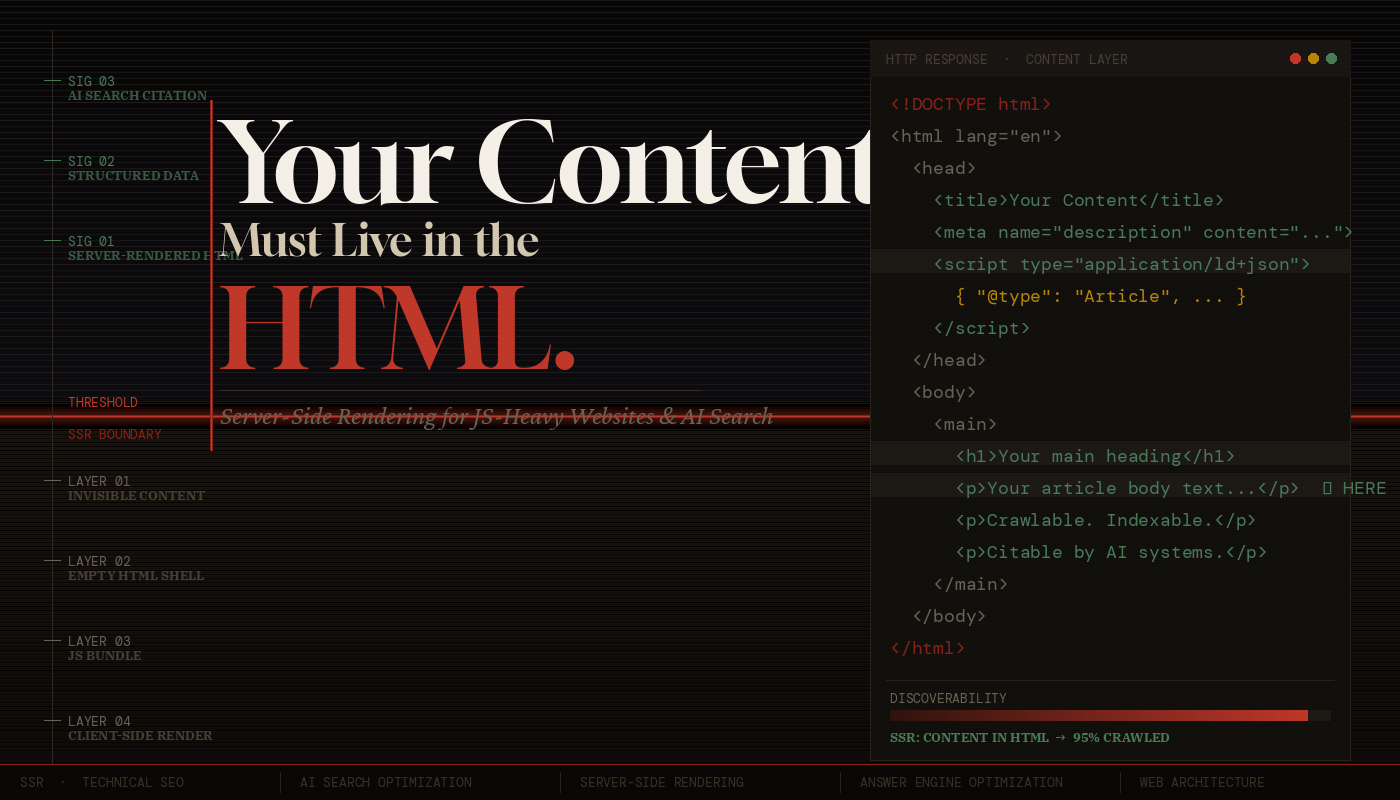
  • Your Content Must Live in the HTML Not JavaScript

    Your Content Must Live in the HTML Not JavaScript

    Server-Side Rendering · AI Search · Technical SEO

    Your Content Must
    Live in the HTML.
    Not JavaScript.

    1. The Problem with JavaScript-Rendered Content

    The modern web has a rendering paradox. We have more powerful frontend frameworks than ever — React, Next.js, Vue, Svelte, Angular — yet a substantial portion of the web’s content is effectively invisible to machines that don’t execute JavaScript.

    Here’s the scenario that plays out thousands of times a day: A developer builds a slick single-page application. The HTML file returned by the server is a near-empty shell — a <div id="root"></div> and a bundle of JavaScript. The browser downloads that bundle, parses it, executes it, makes API calls, and eventually — after several seconds — renders the actual product listings, blog posts, or service descriptions that the site exists to show.

    From a human browser perspective, this works fine. From a crawler’s perspective, this is a black hole.

    ⚠ Critical Reality Check

    When Googlebot, Bingbot, or an AI crawling agent fetches your URL, what they receive in that first HTTP response is your HTML document — before any JavaScript runs. If your main content isn’t in that document, it does not exist for them at the moment of first contact.

    ~5s Avg JS render time
    on slow connections
    ~2–4
    weeks
    Googlebot’s JS
    render queue delay
    0% Most AI crawlers
    execute JavaScript

    Google has stated that it processes JavaScript using a “two-wave” indexing system. The first wave indexes raw HTML immediately. The second wave — which renders JavaScript — happens on a deferred schedule, sometimes days or weeks later, limited by rendering budget and queue depth. Your SPA’s content may simply never make it into the index before your competitors’ SSR pages already rank.

    The Hidden Cost of Client-Side Rendering at Scale

    The problem isn’t just about individual pages. As your site scales — hundreds of products, thousands of blog posts, tens of thousands of SKUs — the crawl budget erosion from JavaScript rendering becomes catastrophic. Google’s crawlers must spend more “budget” on a page that requires JavaScript execution than one that returns clean HTML. The result: fewer of your pages get crawled in any given window, and freshness suffers.

    For content-heavy sites — e-commerce, publishing, SaaS documentation, marketplaces — this isn’t a minor SEO technicality. It’s a direct hit on revenue.

    · · ·

    2. How Search Crawlers Actually Work

    To understand why HTML-first matters, you need to understand the lifecycle of a web crawl — both traditional search engines and the newer AI-based retrievers.

    Traditional Crawlers: The Two-Wave Problem

    When Googlebot visits a URL, it follows a deterministic sequence:

    Googlebot Crawl Lifecycle
    // Step 1: DNS resolution + TCP connection
    // Step 2: HTTP GET request → server returns raw HTML
    // Step 3: HTML is parsed for links, meta tags, structured data
    // Step 4: Page enters rendering queue (WRS — Web Rendering Service)
    // Step 5 (days/weeks later): Headless Chromium renders JS
    // Step 6: Rendered content is indexed (second wave)
    
    // THE GAP BETWEEN STEP 3 AND STEP 6 IS YOUR VULNERABILITY.

    During the gap between steps 3 and 6, your content either exists in the index (if it was in the HTML) or doesn’t (if it was JS-rendered). For frequently updated sites, this gap can mean permanently stale or missing content because the page changes again before the render queue catches up.

    Bingbot and Other Crawlers

    Microsoft’s Bingbot has similar JavaScript rendering capabilities but operates under even tighter rendering budgets. Apple’s Applebot, used for Siri and Spotlight indexing, has limited JS execution. DuckDuckGo crawls with minimal JS support. The majority of the long tail of web crawlers — including price comparison bots, accessibility checkers, and social media link previewers — do not execute JavaScript at all.

    💡 Key Insight

    Designing for Google’s JS renderer means designing for one crawler. Designing for raw HTML means your content is accessible to every crawler, every time, without exception. It is a fundamentally more robust and future-proof architecture.

    The Open Graph & Social Preview Problem

    An often-overlooked consequence of JS-rendered content: social media link unfurling. When someone shares your URL on LinkedIn, Twitter/X, Slack, or iMessage, the platform’s server-side fetcher grabs the HTML of your page and looks for <meta og:title>, <meta og:description>, and <meta og:image> tags. If those tags are inserted by JavaScript, the unfurled preview will be blank, broken, or fall back to default values. This is a direct conversion-rate problem that happens in real time, every time someone shares a link.

    Content Location Google (Wave 1) Google (Wave 2) Bing / Others AI Crawlers Social Previews
    In raw HTML (SSR) ✓ Indexed ✓ Indexed ✓ Indexed ✓ Indexed ✓ Works
    JS-rendered (CSR) ✗ Missing ✓ Maybe ✗ Often Missing ✗ Missing ✗ Broken
    · · ·
    · · ·

    4. What SSR Is — and What It Actually Fixes

    Server-Side Rendering (SSR) means generating the complete HTML of a page on the server — including all the main content — before sending it to the client. The browser receives a fully-formed document that a human (or crawler) can read without executing a single line of JavaScript.

    SSR vs. CSR vs. SSG vs. ISR

    The rendering landscape has grown complex. Here’s a precise breakdown:

    Strategy When Content is Generated Crawlability Best For
    CSR
    Client-Side Rendering
    In the browser, after JS executes Poor — requires JS Private dashboards, authenticated apps
    SSR
    Server-Side Rendering
    On the server, per request Excellent Dynamic content, personalization, real-time data
    SSG
    Static Site Generation
    At build time Excellent Blogs, docs, marketing pages
    ISR
    Incremental Static Regeneration
    At build + on-demand revalidation Excellent Large sites with fresh content

    The key insight: CSR is the only strategy that results in empty HTML. SSR, SSG, and ISR all deliver content in the initial HTML response. For public-facing pages — product pages, articles, landing pages, documentation — there is rarely a technical justification for using CSR.

    Hydration: The Best of Both Worlds

    A common misconception: “If I use SSR, I lose the interactivity of React/Vue.” This is false. Modern SSR works through hydration — the server sends a fully-rendered HTML page, and then JavaScript “hydrates” the existing DOM, attaching event listeners and making it interactive. The user gets fast, crawlable content immediately; the full interactive experience follows seamlessly.

    Next.js — SSR Page with getServerSideProps
    // ✓ Content rendered on server — present in HTML response
    
    export async function getServerSideProps(context) {
      const { params } = context;
      const product = await fetchProduct(params.slug);
    
      return {
        props: { product }
        // This data is baked into the HTML —
        // no client-side fetch, no empty div.
      };
    }
    
    export default function ProductPage({ product }) {
      return (
        <article>
          <h1>{product.name}</h1>
          <p>{product.description}</p>  // ← In the HTML
          <PriceWidget price={product.price} /> // ← Also in HTML via SSR
        </article>
      );
    }

    The Performance Dimension

    SSR also directly improves Core Web Vitals — specifically Largest Contentful Paint (LCP) and First Contentful Paint (FCP). When content is in the HTML, the browser can start rendering it the moment bytes arrive, without waiting for a JS bundle to download, parse, and execute. Google uses Core Web Vitals as a ranking signal. SSR improves your rankings both by making content indexable and by improving the speed metrics that determine ranking order.

    · · ·

    5. Content Signals That AI Systems Depend On

    Beyond mere presence, the quality and structure of your HTML content determines how well AI systems can understand and cite it. SSR gives you the opportunity to control these signals from the server response.

    Structured Data (JSON-LD)

    Schema.org structured data, embedded as <script type="application/ld+json"> in the <head>, is one of the most important signals for both traditional and AI search. It provides machine-readable metadata about your content type — whether it’s an Article, Product, FAQ, HowTo, Recipe, or Event. AI systems use structured data to understand the ontological category of your content, which directly influences whether and how it gets surfaced in answer engines.

    JSON-LD — Article Structured Data (SSR)
    <script type="application/ld+json">
    {
      "@context": "https://schema.org",
      "@type": "Article",
      "headline": "Why Your Content Must Live in the HTML",
      "datePublished": "2025-06-15",
      "dateModified": "2025-06-20",
      "author": { "@type": "Person", "name": "Jane Doe" },
      "description": "A technical deep-dive into SSR..."
    }
    </script>
    
    <!-- CRITICAL: This must be server-rendered.
         If injected by JS, crawlers miss it entirely. -->

    Semantic HTML Elements

    Modern AI content understanding systems are trained to respect semantic HTML structure. <main> signals the primary content zone. <article> wraps a self-contained piece of content. <section> groups thematically related content. <aside> marks supplementary information. <nav> identifies navigation. These elements help AI systems distinguish your main content from boilerplate, navigation, ads, and sidebars — a process called content extraction or main content identification.

    When your content is server-rendered with proper semantic markup, content extraction works correctly. When it’s client-rendered, the semantic structure may be lost entirely, and AI systems fall back to heuristics that are far less reliable.

    Meta Tags and Open Graph

    The <title> tag, <meta name="description">, and Open Graph tags (og:title, og:description, og:image) must all be present in the server-rendered HTML. These tags are used by:

    • Search engines to generate SERP snippets
    • Social platforms to generate link previews
    • AI summarization systems to understand page context
    • Browser bookmarking and reading list features
    ⚠ Common Mistake

    Using a single, static <title> tag like “My App | React SPA” for every page, then updating it with JavaScript. Search engines will index the static title, not the JS-updated one. Every public-facing page needs a unique, descriptive, server-rendered <title>.

    Freshness Signals and Last-Modified Headers

    AI search systems weight fresh content more heavily. When your server returns an SSR page, you can set proper HTTP headers: Last-Modified, ETag, and Cache-Control directives. These signals tell crawlers when content was last updated and whether to re-index it. A CSR app returning the same cached index.html bundle provides no freshness signal — the HTML never changes even when the content does.

    · · ·

    6. Implementing SSR: Practical Approaches

    The good news: the modern frontend ecosystem makes SSR straightforward to implement. Here are the primary paths, with honest tradeoffs.

    Next.js (React)

    Next.js is the most mature SSR framework for React. It supports SSR via getServerSideProps, SSG via getStaticProps, and ISR through its revalidation system. Next.js 13+ App Router uses React Server Components (RSC), which render on the server by default — a paradigm shift that makes the right choice (SSR) also the easiest choice.

    Next.js App Router — Server Component (Default SSR)
    // app/products/[slug]/page.tsx
    // This is a Server Component by default — runs on the server
    
    export async function generateMetadata({ params }) {
      const product = await getProduct(params.slug);
      return {
        title: product.name,           // ← In <title> tag, server-rendered
        description: product.summary,  // ← In <meta description>
        openGraph: { title: product.name, images: [product.image] }
      };
    }
    
    export default async function ProductPage({ params }) {
      const product = await getProduct(params.slug);
      // Data fetched on server — content in HTML from the start
      return (
        <main>
          <h1>{product.name}</h1>
          <p>{product.description}</p>
        </main>
      );
    }

    Nuxt (Vue), SvelteKit, Remix, Astro

    Nuxt is the equivalent for Vue, offering the same SSR/SSG/ISR triad. SvelteKit defaults to SSR with zero-config setup. Remix is built entirely around the server/client boundary and makes SSR its default mode of operation. Astro takes a radical approach — static HTML with “islands” of interactivity — producing some of the most crawler-friendly output of any modern framework.

    When You Can’t Rewrite: Dynamic Rendering

    If you have a legacy SPA that you can’t immediately migrate to SSR, dynamic rendering is a stopgap: detect crawler user-agents and serve pre-rendered HTML to them while serving the normal SPA to users. Tools like Rendertron, Prerender.io, or cloud functions can handle this. It’s not ideal — it adds complexity and has a caching freshness problem — but it’s significantly better than serving crawlers an empty div.

    Dynamic Rendering — Nginx Config (Simplified)
    # nginx.conf — serve pre-rendered HTML to known bots
    
    map $http_user_agent $is_crawler {
      default              0;
      "~*googlebot"        1;
      "~*bingbot"          1;
      "~*perplexitybot"    1;
      "~*gptbot"           1;
      "~*claudebot"        1;
      "~*anthropic-ai"     1;
    }
    
    location / {
      if ($is_crawler = 1) {
        proxy_pass http://prerender-service:3000;
      }
      try_files $uri /index.html; # SPA fallback for users
    }

    Core Web Vitals and SSR Performance

    SSR is not free — rendering on the server adds latency to Time to First Byte (TTFB). The tradeoff is usually favorable: TTFB increases slightly, but LCP and FCP improve dramatically because content is visible sooner. Strategies to mitigate TTFB include: aggressive caching (CDN-level HTML caching with short TTLs), streaming SSR (React 18’s Suspense-based streaming, which sends HTML progressively), and edge rendering (running SSR at CDN edge nodes close to the user).

    · · ·

    7. SSR & AI Search Discoverability Checklist

    Use this checklist to audit any public-facing page for HTML content completeness and AI search readiness:

    HTML Content Requirements

    • Main content (body copy, product descriptions, article text) present in raw HTML response
    • Page <title> is unique, descriptive, and server-rendered per page
    • <meta name="description"> is present and server-rendered
    • Open Graph tags (og:title, og:description, og:image) in server HTML
    • Heading hierarchy (<h1><h2><h3>) present in HTML, not injected by JS
    • JSON-LD structured data in <head>, not added dynamically

    Semantic HTML Structure

    • <main> element wraps primary page content
    • <article> used for self-contained content pieces
    • <nav>, <header>, <footer>, <aside> used appropriately
    • Images have meaningful alt attributes in the HTML (not added via JS)
    • Links are real <a href> elements, not JS-powered navigation

    AI Search Readiness

    • Content is coherent and well-structured when JavaScript is disabled (test with browser devtools)
    • Appropriate Schema.org type applied (Article, Product, HowTo, FAQ, etc.)
    • robots.txt does not block AI crawlers (GPTBot, ClaudeBot, PerplexityBot, etc.)
    • Consider implementing llms.txt to signal high-value content to AI systems
    • HTTP Last-Modified headers reflect actual content update times
    • Canonical URLs set correctly to prevent duplicate content issues

    Performance & Technical SSR

    • LCP element (usually the hero image or h1) visible in HTML before JS executes
    • No render-blocking resources that delay HTML parsing
    • SSR HTML cached at CDN edge where content is stable (SSG/ISR)
    • Streaming SSR implemented for dynamic, slow-data pages
    • Verify with: curl -A "Googlebot" https://yoursite.com/page | grep -i "main content"
    · · ·

    8. Conclusion: HTML is the Contract

    The web has a social contract that predates JavaScript frameworks, predates React, predates even Google: the HTML document returned by a server is the authoritative representation of a page’s content. Browsers, crawlers, screen readers, feed aggregators, link previewers, and now AI retrieval systems all depend on this contract being honored.

    The JavaScript revolution of the past decade gave us extraordinary tools for building interactive experiences. But somewhere along the way, many teams confused “my app is built with React” with “my content should be rendered by React on the client.” These are separate decisions. The experience layer can and should be interactive, component-based, and framework-driven. The content layer must be in the HTML.

    The rise of AI search makes this more urgent, not less. Every AI answer engine, every RAG pipeline, every citation system is fundamentally built on the same foundation: what was in the HTML when the crawler visited. No amount of prompt engineering, no amount of schema markup finesse, no amount of link building overcomes the fundamental failure of your content not being in the document that crawlers receive.

    “SSR is not a performance optimization. It is a correctness requirement for any page that needs to be found, read, and cited.”

    The good news is that the tooling has never been better. Next.js App Router, SvelteKit, Nuxt, Astro, Remix — these frameworks have made SSR the default, the path of least resistance, the thing you get for free when you start a new project. The question is not whether you can do SSR. The question is whether you’re willing to treat your content with the seriousness it deserves.

    Put your content in the HTML. Honor the contract. Let crawlers, AI systems, and the open web read what you’ve built. Everything else follows from there.

    ✓ The One-Line Test

    Open your browser, navigate to any important page on your site, and disable JavaScript (DevTools → Settings → Disable JavaScript). Reload the page. If your main content is visible, you pass. If you see a loading spinner, an empty container, or nothing at all — you have work to do.